
What DNSSEC does
DNS was built without a way to check that an answer is genuine. An attacker who can tamper with DNS answers can send your visitors, or your email, to a server they control. DNSSEC (DNS Security Extensions) signs your domain's DNS records, so networks that check signatures reject forged answers.
- It protects every record on the domain: website, email and verification records.
- Nothing changes for your visitors, apart from the extra protection.
- It's worth turning on for any domain that takes payments, sign-ins or sensitive email.
What you need
- NG Domain-managed DNS. DNSSEC signs the records NG Domain hosts, so the domain must use NG Domain DNS. If its Nameservers tab shows custom nameservers, switch first. See Changing Nameservers.
- A paid DNSSEC term. DNSSEC is a yearly add-on, shown in the dashboard as ₦850.00/yr. It renews on its own yearly plan, separate from the domain.
- A supported extension. DNSSEC is offered for
.ngdomains and most global extensions. If a domain can't have it, the DNSSEC option doesn't appear.
Add it when you register
In search, the Add-ons card offers DNSSEC. Click Add, and it's paid for with the domain at checkout. See How to Register a Domain.
Add it to a domain you own
- Sign in to your NG Domain dashboard and open My Domains.
- Click the domain, then open the Settings tab.
- In the DNSSEC card, click Enable DNSSEC. DNSSEC goes in your cart.
- Pay at checkout. DNSSEC is turned on once payment is confirmed.
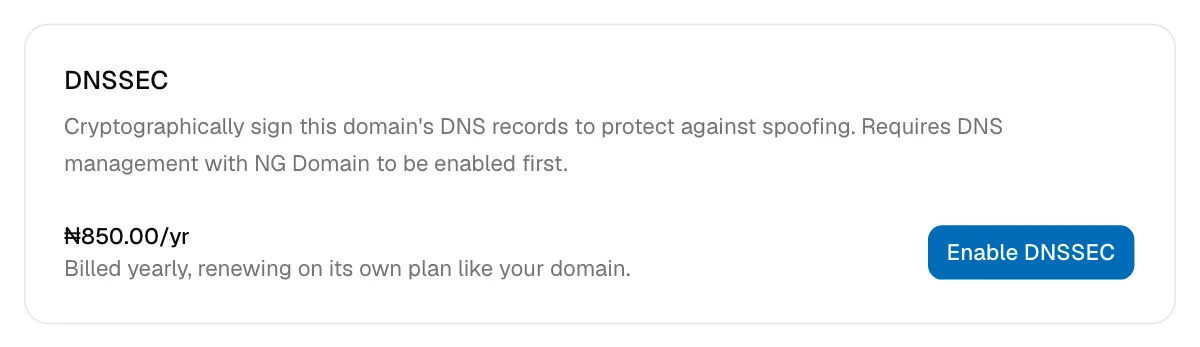
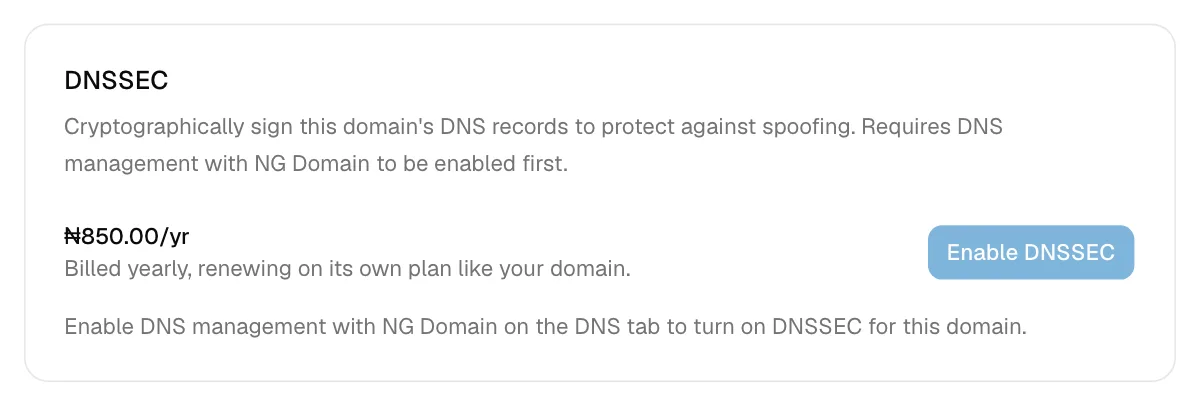
If the button is greyed out, the card says why. Usually NG Domain DNS isn't turned on yet.
Once it's on
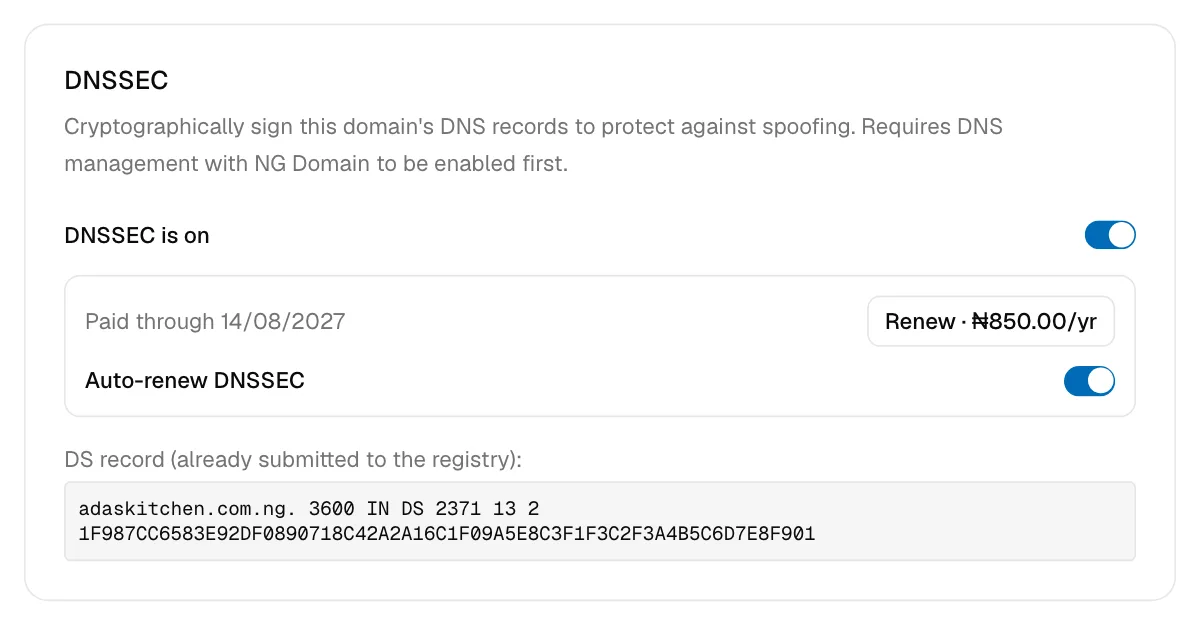
The DNSSEC card shows:
| Item | What it means |
|---|---|
| DNSSEC is on / DNSSEC is off | Switch signing on or off. You can turn it back on at no cost while your paid term lasts. |
| Paid through date | When the current paid term ends. After that it reads Expired on date. |
| Renew · ₦850.00/yr | Pay for another year now |
| Auto-renew DNSSEC | Renew the DNSSEC term automatically each year |
| DS record | The fingerprint of your signing key. NG Domain has already sent it to the registry, so there's nothing for you to do with it. |
Before you change nameservers
Turn DNSSEC off before you switch the domain to custom nameservers or transfer it away. The registry holds the DS record for NG Domain's signing key. If another provider starts answering for the domain while it's still there, networks that check DNSSEC treat every answer as forged, and your site and email stop resolving for them.
To switch it off, use the DNSSEC is on switch on the Settings tab. Then wait a few hours before changing nameservers. If your new DNS provider supports DNSSEC, turn it on there once the move is done.
Only the domain's owner can see the Settings tab, so only they can buy, renew or switch DNSSEC.
If your site stops loading after a DNSSEC change, contact support with the domain name.