
What DNS records do
DNS records tell the internet where to send people and mail for your domain. An A record points adaskitchen.com.ng at your web server. An MX record tells other mail servers where to deliver mail for [email protected]. When you change a record, visitors follow the new one once the old answer expires from their network's cache.
You manage records on the domain's DNS Records tab once NG Domain hosts the domain's DNS. For the theory behind each record type, see our DNS records explainer.
Turn on NG Domain DNS
A new domain starts on the registry's default nameservers, so the first time you open DNS Records you'll see DNS is managed by your nameserver provider. You'll see the same message if the domain uses another provider's nameservers, such as Cloudflare's or your web host's.
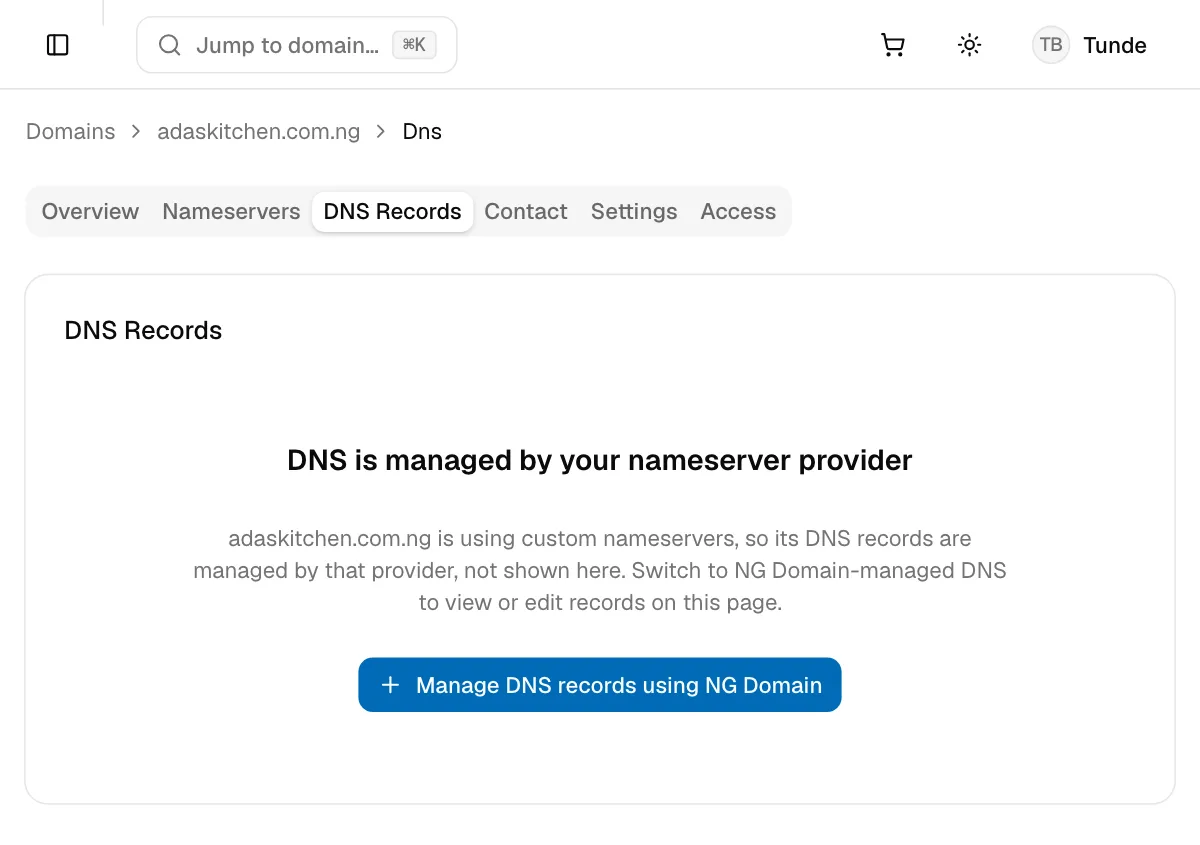
- Click Manage DNS records using NG Domain.
- Read the warning. Switching replaces the domain's nameservers with NG Domain's, so a website or email hosted with another DNS provider stops working until you add the same records here. If the domain is already in use, copy its records from your current provider first.
- Click I've saved a copy, continue.
The tab then shows your records, empty at first, and the Nameservers tab says DNS is managed by NG Domain.
If you'd rather keep DNS with Cloudflare or your web host, leave this off and manage records there. See Changing Nameservers.
If the tab says No DNS zone for this domain, DNS hosting hasn't been set up yet. Click Create DNS zone to start adding records.
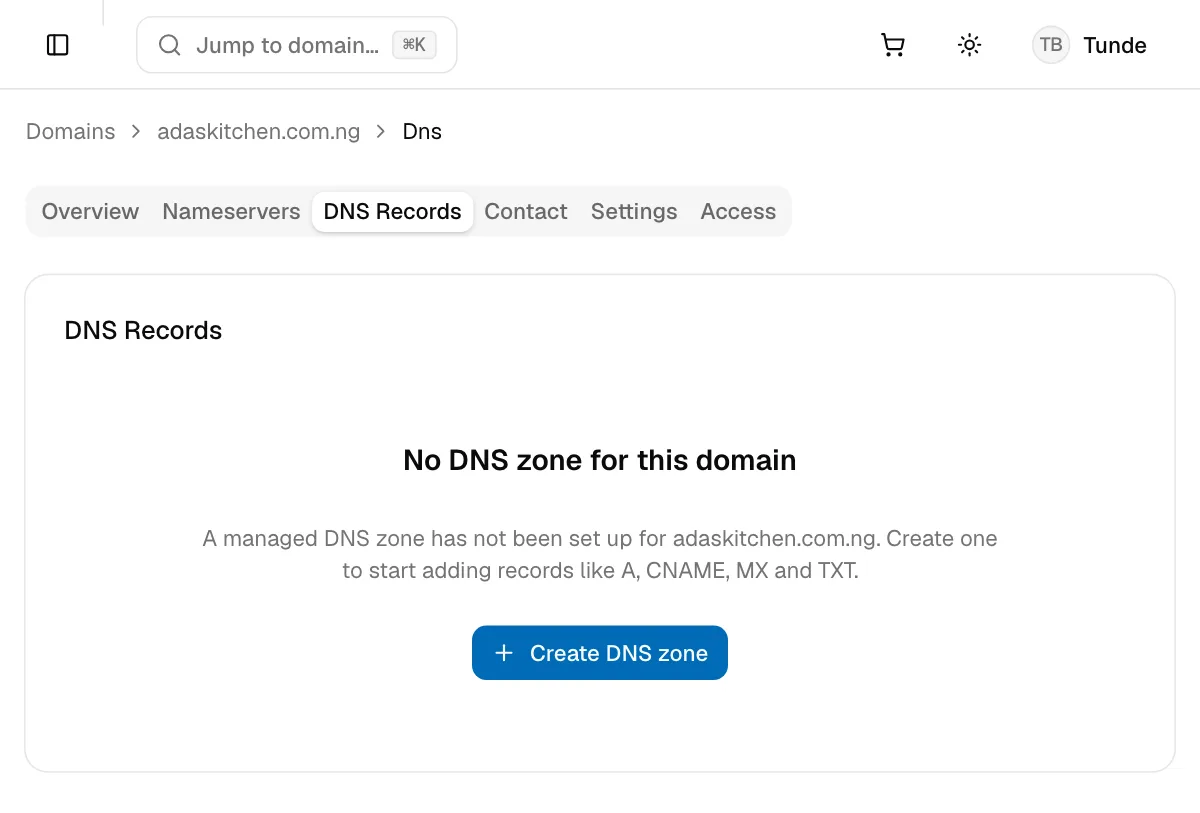
The DNS Records tab
- Sign in to your NG Domain dashboard and open My Domains.
- Click the domain, then open the DNS Records tab.
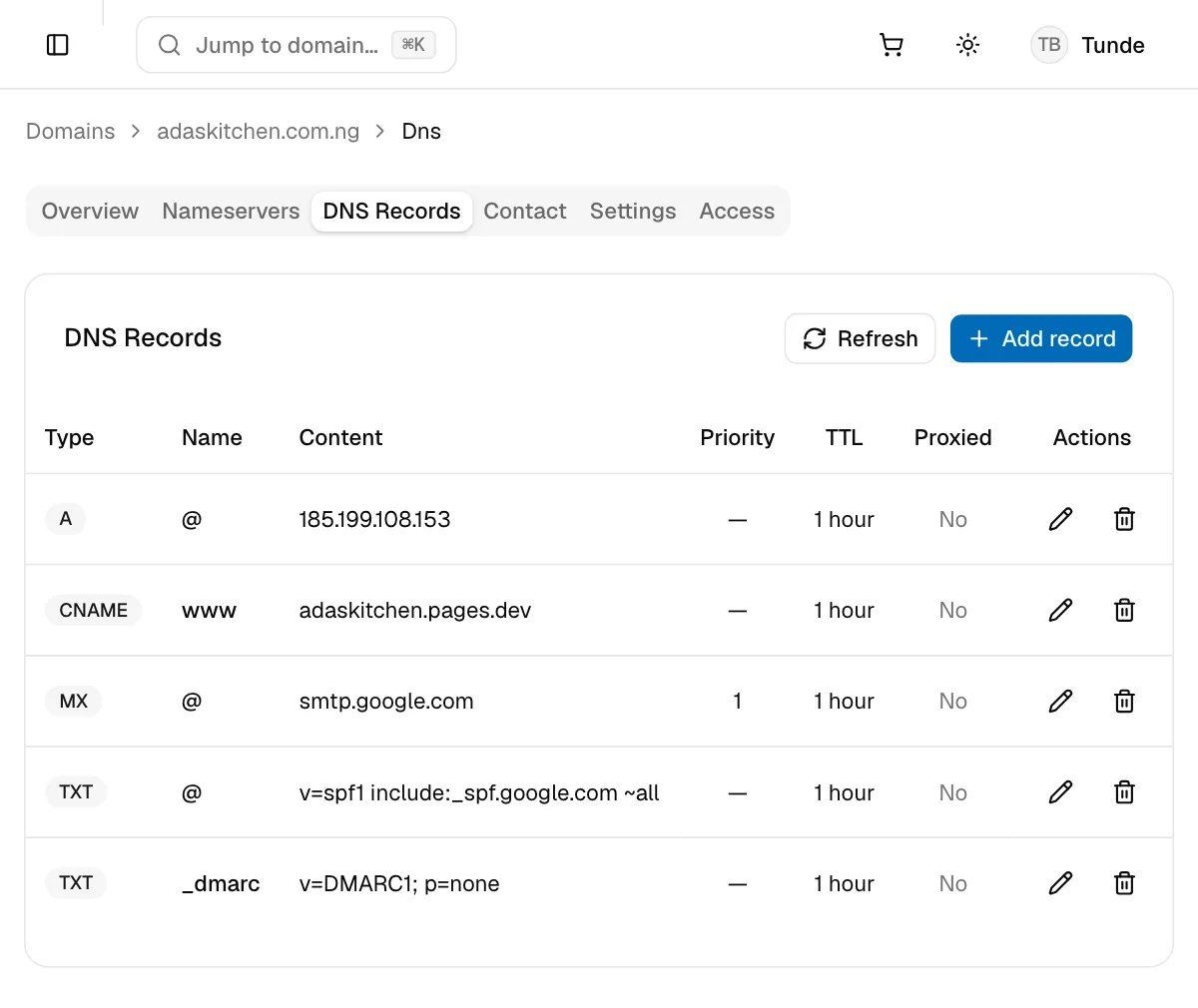
Each row is one record:
| Column | What it shows |
|---|---|
| Type | The record type, such as A, CNAME or MX |
| Name | The host the record is for. @ is the domain itself, www is www.yourdomain. |
| Content | Where the record points: an IP address, a hostname or a text value |
| Priority | Which server to try first, for MX and SRV records. The lowest number wins. |
| TTL | How long networks may cache the record before checking again |
| Proxied | Whether traffic goes through our CDN, for A, AAAA and CNAME records |
Use the pencil icon to edit a record, and the bin icon to delete it. Refresh reloads the list.
Add a record
- Click Add record.
- Choose the Type, then fill in Name, Content and any extra fields for that type.
- Choose a TTL, then click Add record.
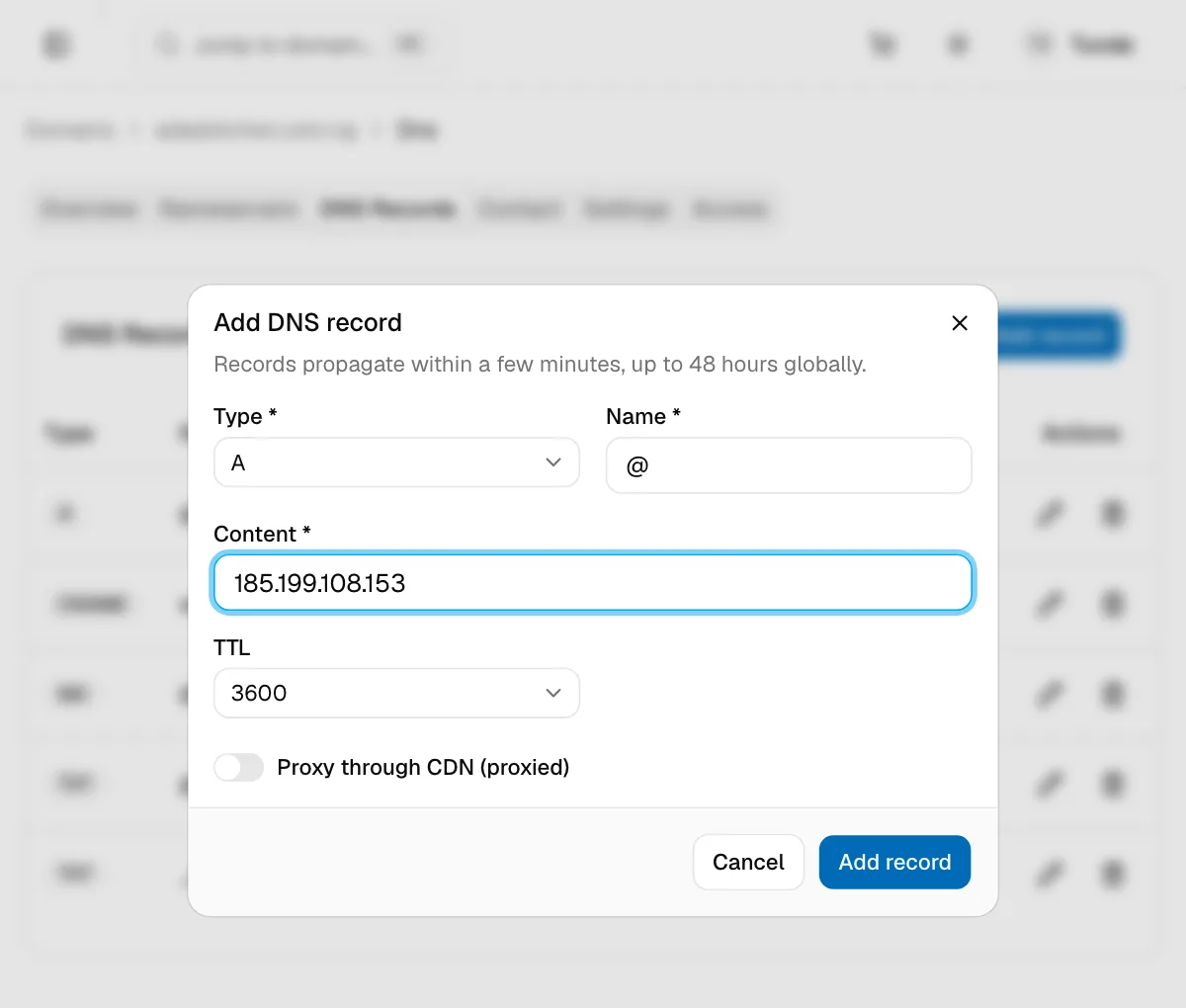
Changes reach most networks within a few minutes, but can take up to 48 hours everywhere, depending on the old record's TTL.
Record types and their fields
| Type | Use it to | Name | Content |
|---|---|---|---|
| A | Point a name at a server's IPv4 address | @, www or a subdomain |
An IPv4 address, e.g. 185.199.108.153 |
| AAAA | Point a name at an IPv6 address | as above | An IPv6 address, e.g. 2606:50c0:8000::153 |
| CNAME | Make a name an alias of another hostname | A subdomain such as www or shop. Not @. |
A hostname, e.g. adaskitchen.pages.dev |
| MX | Choose who receives your email | Usually @ |
The mail server's hostname, plus a Priority |
| TXT | Prove ownership to a service, and set SPF, DKIM and DMARC for email | @, or what the service tells you, e.g. _dmarc |
The text value exactly as given |
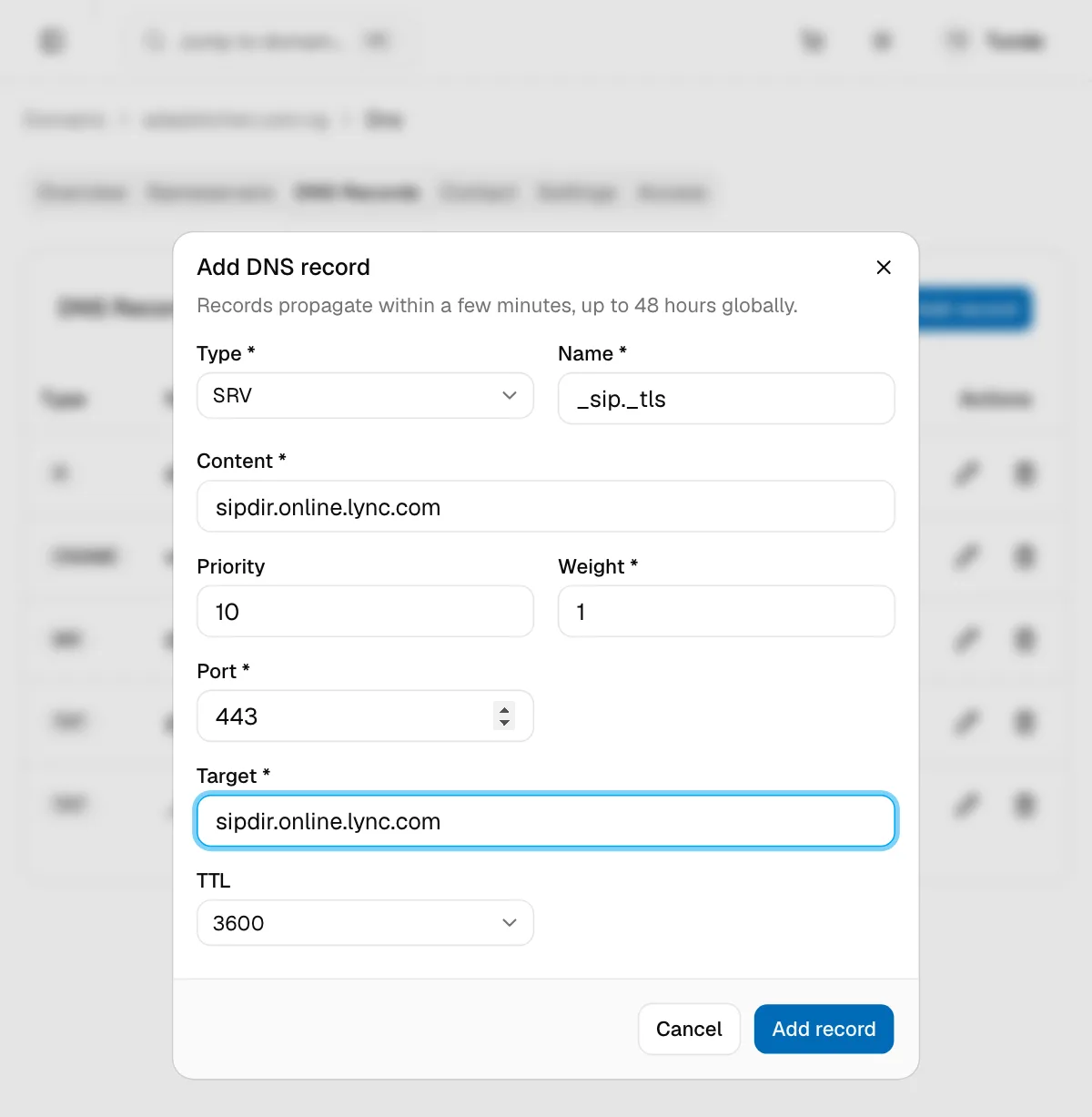
| SRV | Point a service, such as calling or chat apps, at a server and port | e.g. _sip._tls |
The target hostname, plus Priority, Weight, Port and Target |
| NS | Hand a subdomain to another DNS provider | The subdomain, e.g. shop |
That provider's nameserver hostname |
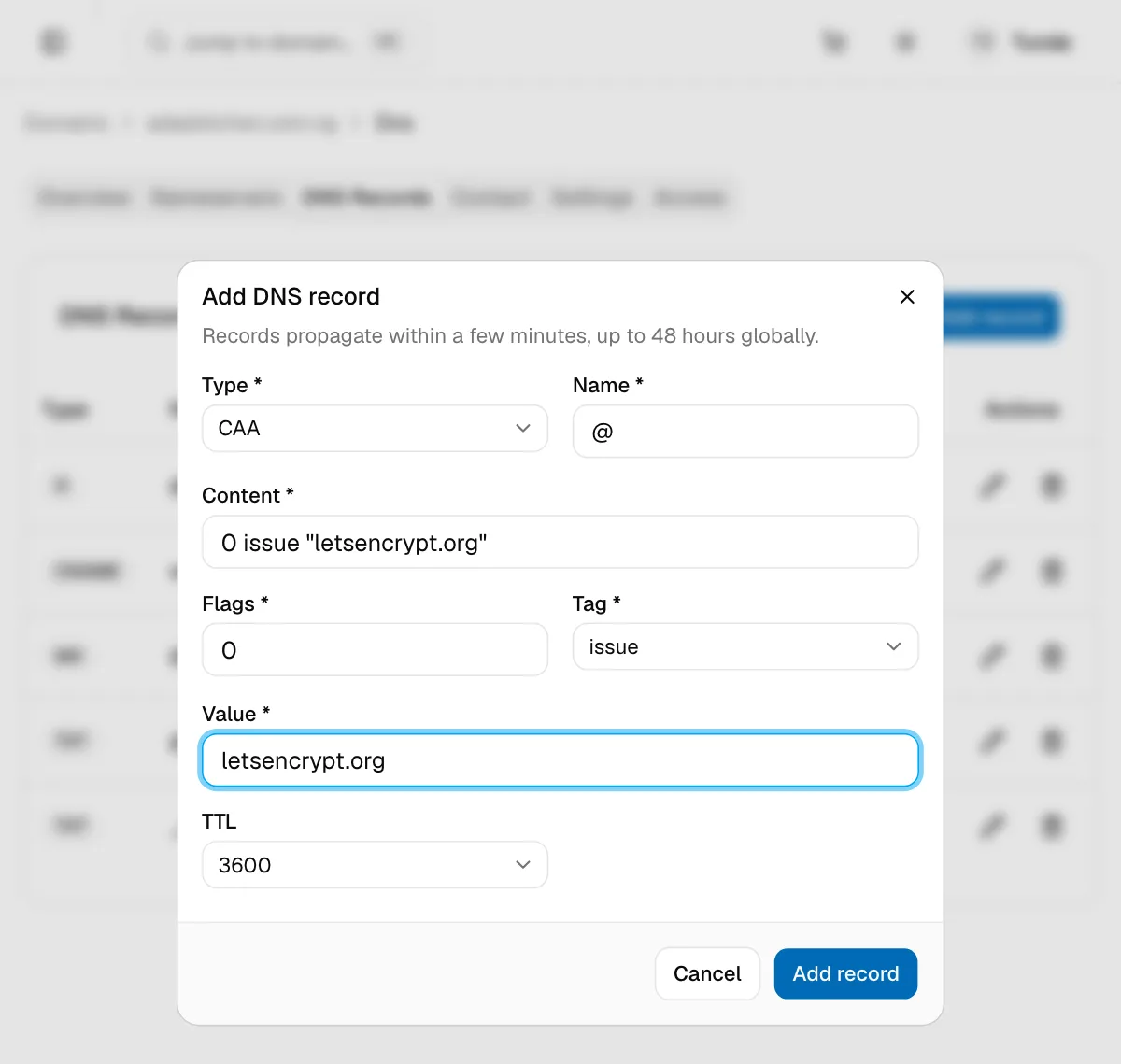
| CAA | Say which certificate authorities may issue SSL certificates for your domain | Usually @ |
The full record, e.g. 0 issue "letsencrypt.org", plus Flags, Tag and Value |
Type @ for the domain itself. For a subdomain, type only the part before your domain: www, not www.adaskitchen.com.ng.
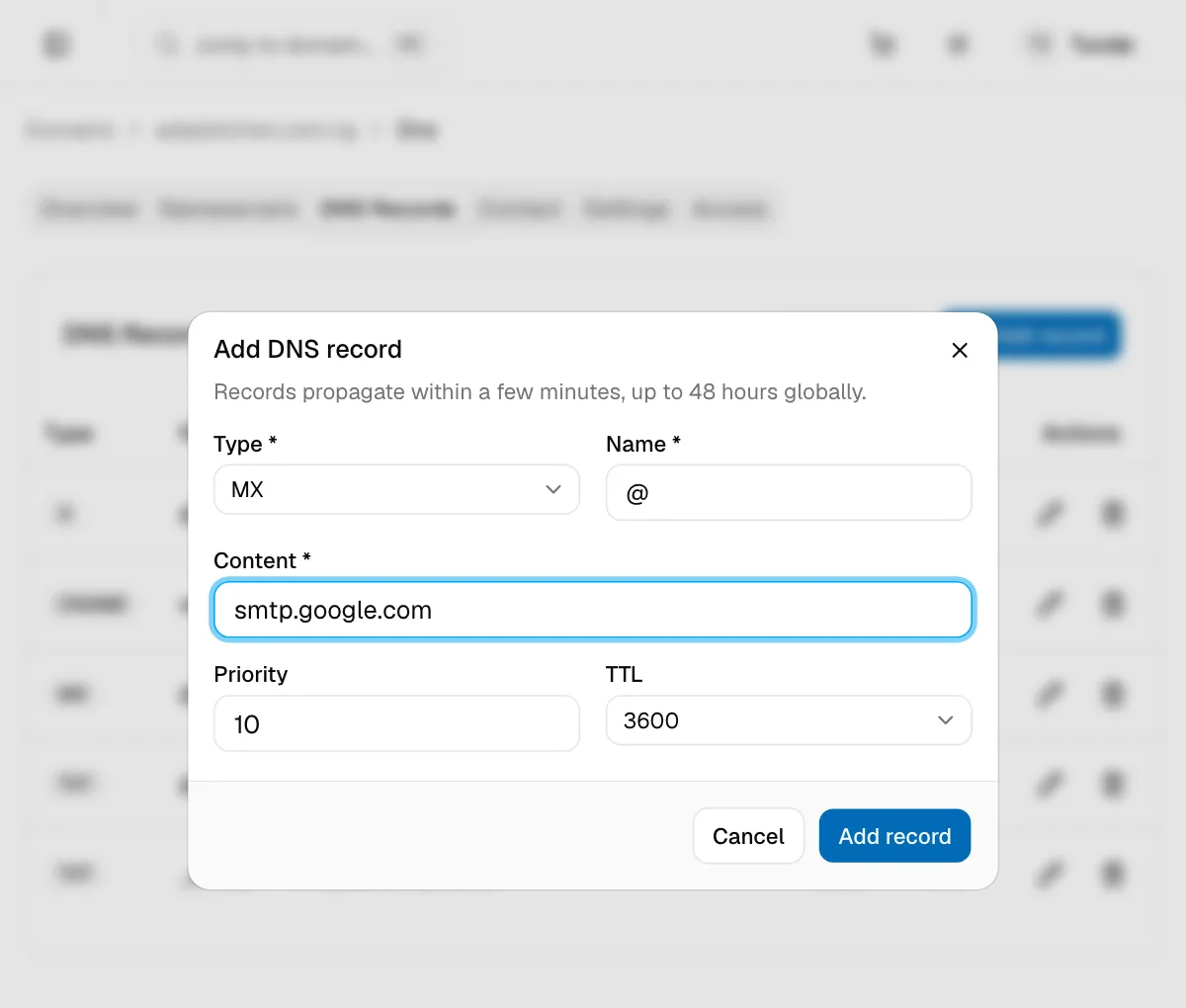
Extra fields
| Field | Types | What it does | Default |
|---|---|---|---|
| Priority | MX, SRV | Lower numbers are tried first. Give a backup mail server a higher number than the main one. | 10 |
| Weight | SRV | Shares traffic between targets with the same priority. Higher means more traffic. | 1 |
| Port | SRV | The port the service listens on, e.g. 443 |
none |
| Target | SRV | The hostname that runs the service | none |
| Flags | CAA | 0 for normal use. 128 makes the tag critical. |
0 |
| Tag | CAA | issue allows a CA to issue certificates, issuewild allows wildcard certificates, and iodef gives an address for violation reports |
issue |
| Value | CAA | The CA's domain, e.g. letsencrypt.org, or a mailto: address for iodef |
none |
For SRV and CAA records, enter the target or value in Content as well as in its own field.
TTL
TTL (time to live) is how long other networks cache a record before asking again.
| Option | When to use it |
|---|---|
| Auto | Let NG Domain pick a sensible value |
| 5 min, 10 min | Just before or after a change, so mistakes clear quickly |
| 30 min, 1 hour | Everyday use. 1 hour is the default. |
| 5 hours, 12 hours, 1 day | Records that rarely change |
Lower your TTL a day before a planned move, such as to a new host. That way, the switch takes effect quickly.
Proxy through CDN
A, AAAA and CNAME records have a Proxy through CDN (proxied) switch. When it's on, visitors connect to our CDN, which hides your server's IP address and caches your site. Leave it off unless your host says to turn it on. Some hosts can't issue SSL certificates for a proxied domain, and proxied records only carry web traffic.
Edit or delete a record
- Edit: click the pencil icon, change the fields, then click Save changes.
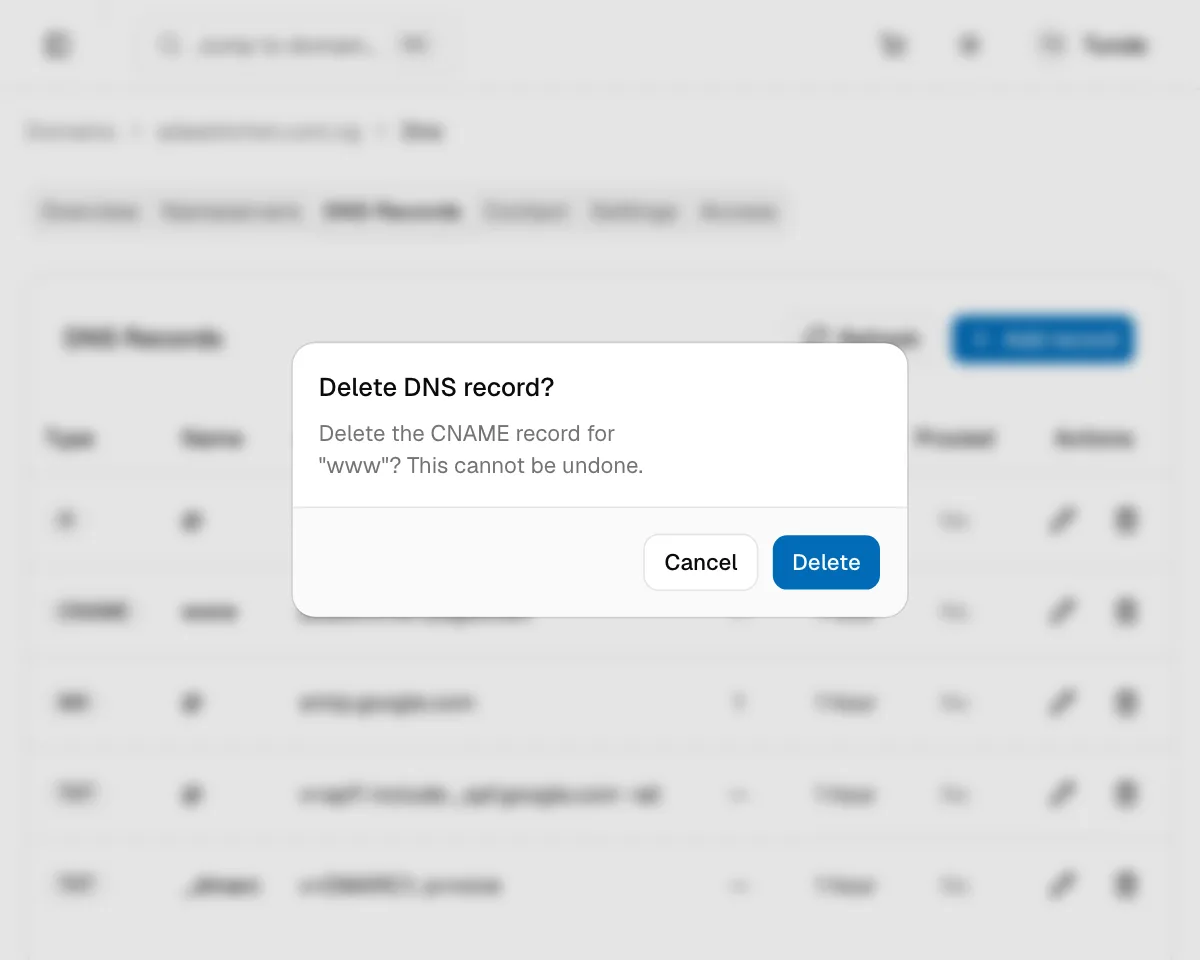
- Delete: click the bin icon, then Delete to confirm. This can't be undone, so note the record's values first if you might need them.
Common setups
| Goal | Records to add |
|---|---|
| Website on a server with an IP address | A @ → the IP, and CNAME www → your domain, or a second A record |
| Website on a platform (Vercel, Netlify, Shopify, Wix and others) | The A and CNAME records the platform shows you |
| Business email | The provider's MX and TXT records. See Connecting Your Domain to Email. |
| Verify ownership for Google Search Console or another service | The TXT record the service gives you |
| Only let Let's Encrypt issue certificates | CAA @, flags 0, tag issue, value letsencrypt.org |
Your developer can manage these records from their own account. See Sharing Access to Your Domain.
If a change hasn't taken effect after 48 hours, contact support with the domain name and the record you changed.