
How payment works
Every payment goes through Paystack, Nigeria's widely used payment processor.
- On the checkout Payment step, review your order, then click Continue to payment.
- Paystack's secure payment window opens over the page. Choose how to pay from the options it shows, such as card or bank transfer, and complete the payment there.
- When Paystack confirms it, you'll see Payment successful! with your payment reference.
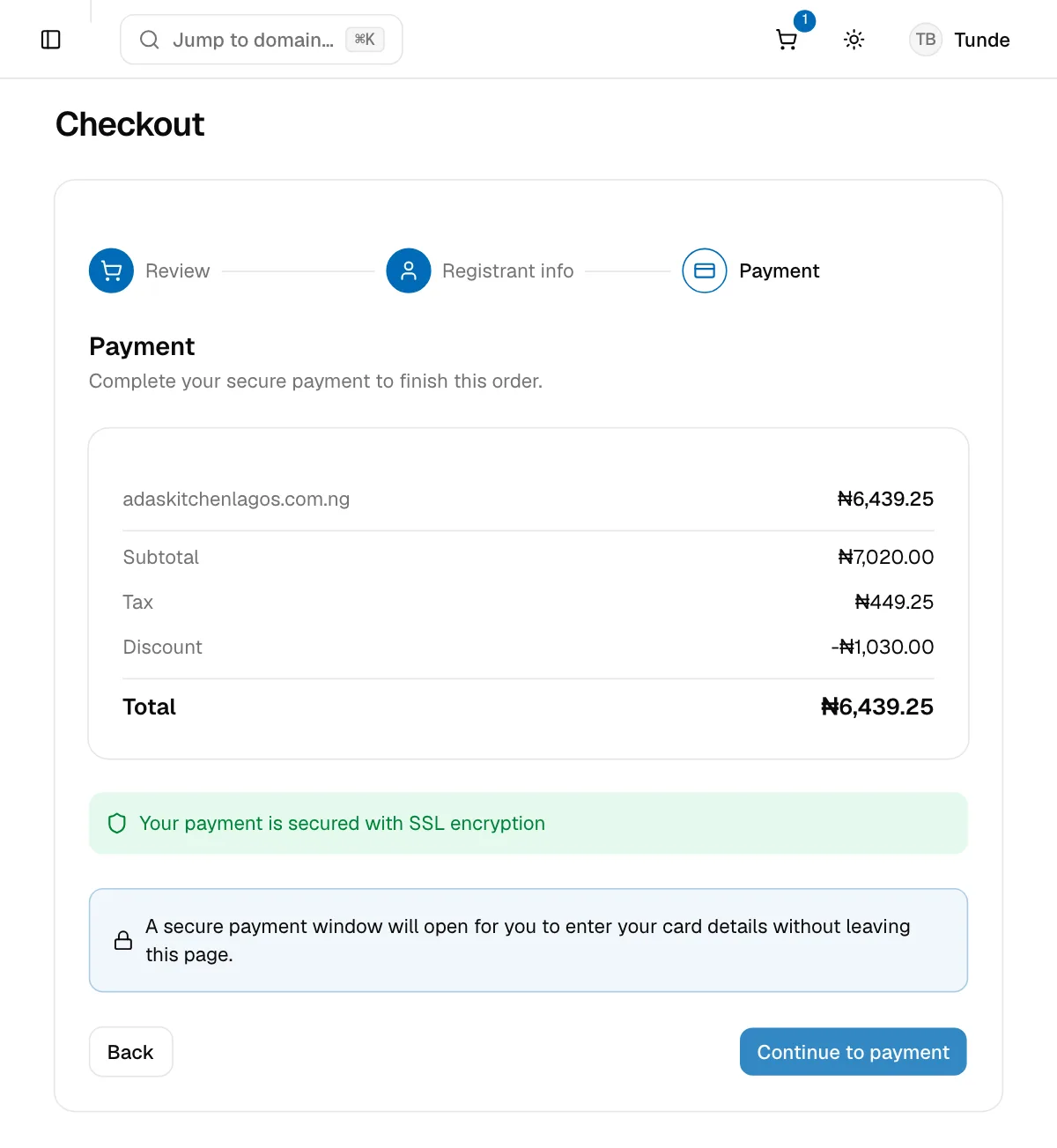
What you should know:
- Prices are in naira (₦).
- VAT at 7.5% is added and shown as Tax on its own line.
- Discount shows any sale price applied, such as the first-year discount on
.ngregistrations. - Your card details go to Paystack, never to NG Domain. We don't see or store them.
- The card you pay with is used for auto-renewal. Paystack charges it about a month before each renewal. See Renewals and Expiry.
Your order confirmation
As soon as the payment is confirmed, we email an Order Confirmation to your account email. It lists each item you bought and whether it's been completed. Paystack may also email its own receipt. Keep both. The payment reference is the quickest way for us to find your order.
Transaction History
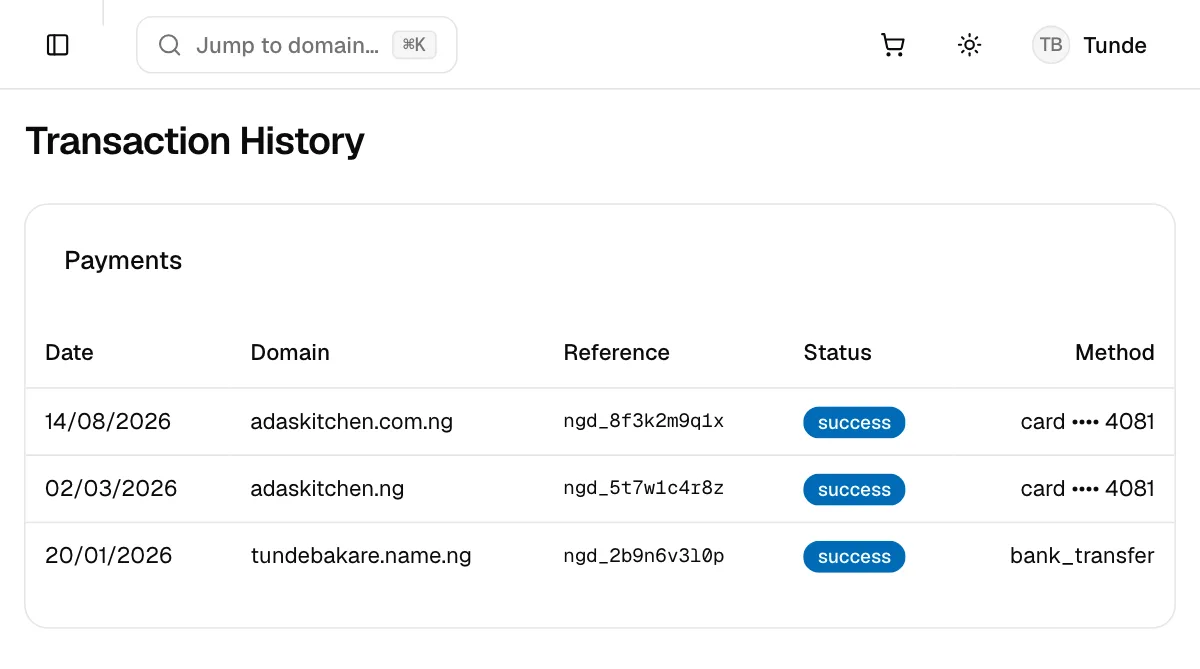
Open Transaction History from the sidebar, or Billing from the account menu, to see your past payments:
| Column | What it shows |
|---|---|
| Date | When you paid |
| Domain | The domain the payment was for |
| Reference | The payment reference. Quote it whenever you contact us about a payment. |
| Status | success for completed payments |
| Method | How you paid, for example card and its last four digits |
The dashboard doesn't produce invoices yet. If you need one for your accounts, contact support with the payment reference.
If a payment fails
- Check your card or account has enough funds and allows online payments.
- Try again, or pick a different option in the Paystack window.
- Closing the Paystack window cancels the payment. Your cart is kept, so you can click Continue to payment again.
- Charged, but the order didn't complete? Don't pay again. Contact support with the reference from your bank or Paystack email, and we'll sort it out.
Cancelling and refunds
Refunds depend on what you bought. The Terms of Service have the final word.
| Item | Can it be cancelled or refunded? |
|---|---|
| Domain registration, renewal or transfer | Not once the registry has processed it, because the registry charges for the name straight away. To stop paying, turn off auto-renew or transfer the domain away. |
| DNSSEC | Not for the current year. Turn off Auto-renew DNSSEC to stop future charges. |
| WHOIS privacy | Free, so there's nothing to cancel |
| Concierge and backorder | Non-refundable whatever the outcome, as stated at checkout |
| An order we couldn't complete | Refunded. For example, if the name was registered by someone else moments before your order went through. |
| A duplicate or mistaken charge | Contact us with the reference and we'll put it right |
Registered the wrong name by mistake? Contact support straight away. We can't promise a refund, but we'll tell you what's possible.