
Sites serves files and doesn't run PHP, so it can't run WordPress itself. It can host a copy of your WordPress site exported as static files. This suits sites whose pages are the same for every visitor, such as a business site, a portfolio or a blog: pages load fast, and there's no WordPress login on your domain to attack.
You keep WordPress where you edit it now, on your computer or at your current host. Each time you change the site, you export it again and publish the new version.
1. Export the site
Many plugins export a WordPress site as static files. These steps use the free Simply Static plugin:
- In WordPress, open Plugins › Add New, search for Simply Static, then click Install Now and Activate.
- Open Simply Static › Settings. Set the URLs it writes to your domain, such as
https://adaskitchen.ng, or to relative paths, and choose a ZIP archive as the way it delivers the files. - Open Simply Static › Generate and click Generate Static Files.
- When it finishes, download the ZIP.
Open the ZIP on your computer and check that index.html is at the top, or in the one folder that holds everything.
2. Publish it
On your site's page in the dashboard, click Upload, drop the ZIP into the dialog and click Publish. The dialog checks the files first.
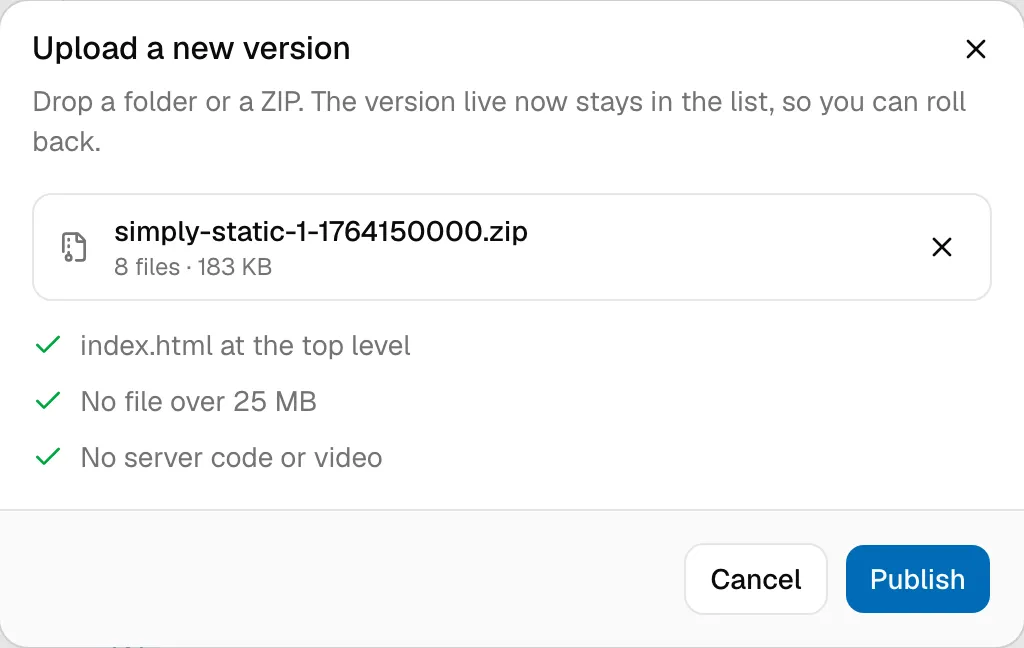
If a check fails:
- No file over 25 MB: a large image or a PDF in the media library. Make it smaller, or remove it from the export.
- No server code or video: the export has a
.phpfile or a video. Remove the file from the ZIP, and host videos on a video service, embedding them in your pages instead. - Up to 10,000 files or 1 GB in all: a large site. Remove pages or media it no longer needs, then export again.
See Publishing by Upload for the other checks.
What keeps working, and what doesn't
| Keeps working | Stops working |
|---|---|
| Pages, posts, menus, categories and tags | Comments |
| Images, galleries and theme styling | WordPress search |
| Embedded maps and videos from other services | Contact form plugins |
| Scripts that run in the browser | Logins, shops, memberships and anything that changes per visitor |
Replace your contact form
Sites has its own contact form, sent to your account's email. In the WordPress editor, add a Custom HTML block where the old form was and paste:
<form method="post" action="/__forms/contact">
  <label>Name <input name="name" required></label>
  <label>Email <input name="email" type="email" required></label>
  <label>Message <textarea name="message" required></textarea></label>
  <input name="_gotcha" tabindex="-1" autocomplete="off" hidden>
  <button>Send</button>
</form>
Then export and publish again. See Managing Your Site for the subscribe form and turning forms off.
Updating the site
Edit in WordPress as usual, then generate the static files again and upload the new ZIP. Each upload is a new version, so if something looks wrong, roll back from the Versions tab.