
You don't need any tools to publish a site: upload its folder or a ZIP of it from your dashboard. Each upload becomes a new version, and the one live before it is kept, so you can roll back.
Upload a new version
- Open Sites, click your site and, on its Overview, click Upload in the Publishing card.
- Drop the site's folder or ZIP into the dialog, or click Choose a folder or Choose a ZIP.
- Check the list of tests, then click Publish.
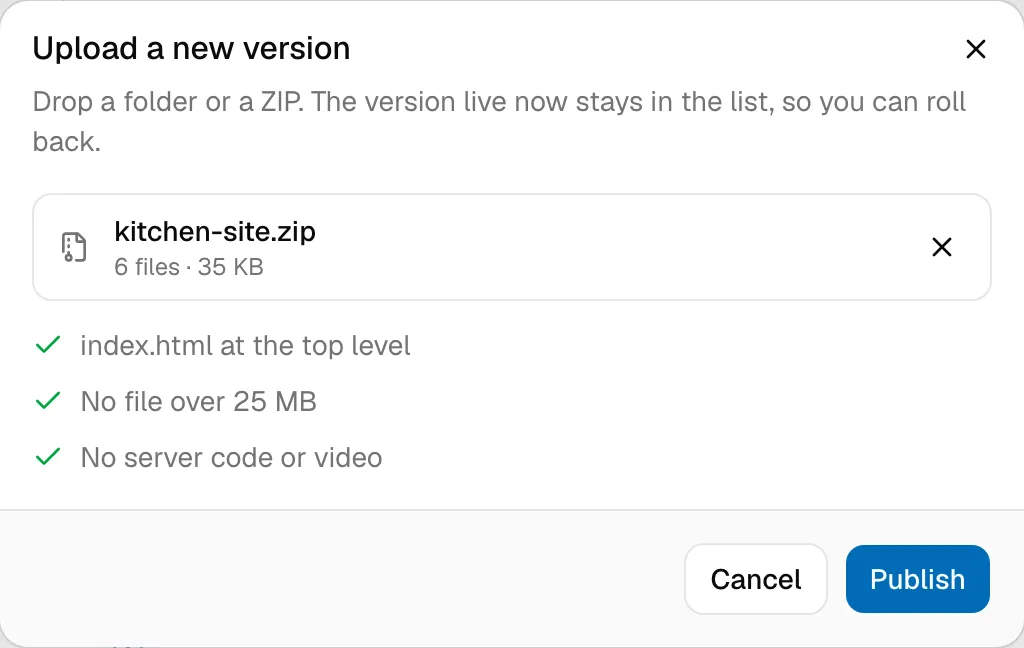
Your site is live within a minute. Only files that changed since your last version are sent, so later uploads are quicker.
What the checks mean
| Check | What to do if it fails |
|---|---|
| index.html at the top level | Upload the folder that holds index.html, not a folder above it. A ZIP whose files are all inside one folder is fine. |
| No file over 25 MB | Make large images smaller, and host video on a video service. |
| No server code or video | Remove .php, .py, .rb and .cgi files and videos. Sites serves files; it doesn't run code. |
| Up to 10,000 files and 1 GB in all | Remove files the site doesn't use, such as source files or old builds. |
Hidden files, such as .git or .env, and files your computer adds, such as .DS_Store or __MACOSX, are left out for you. The .well-known folder is kept.
How addresses work
A visitor to /about sees about.html or about/index.html, whichever your folder has. Put a 404.html at the top level to show your own page for addresses that don't exist. A _redirects file at the top level sends old addresses to new ones, one rule a line, such as /old-menu /menu 301, and a _headers file sets response headers.
The first upload is reviewed
Our team checks the first upload from each account before it goes live on a domain. Until then it's on the site's preview address. Later uploads go live straight away.
Versions and rolling back
The Versions tab lists every publish, newest first, with where it came from: Upload with the file name, or CI with the commit. A version that failed says why.
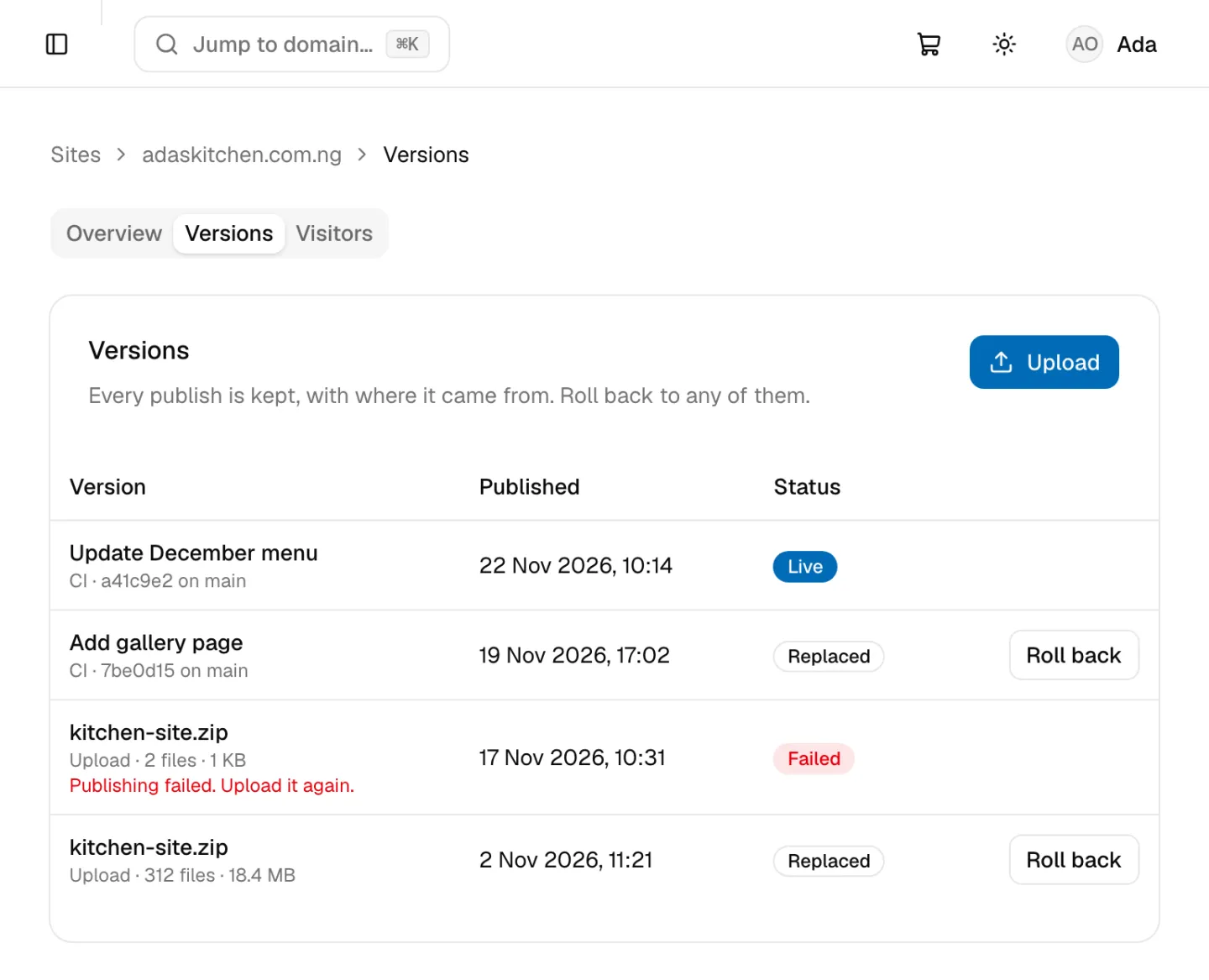
To go back to an earlier version, click Roll back on its row and confirm. Visitors see it within a minute, and the version that was live stays in the list, so you can switch back.
Publishing on every change
If your site lives in a GitHub repository, it can publish itself on every push instead. See Deploying from GitHub.